
HOW TO CANCEL IN DONORVIEW
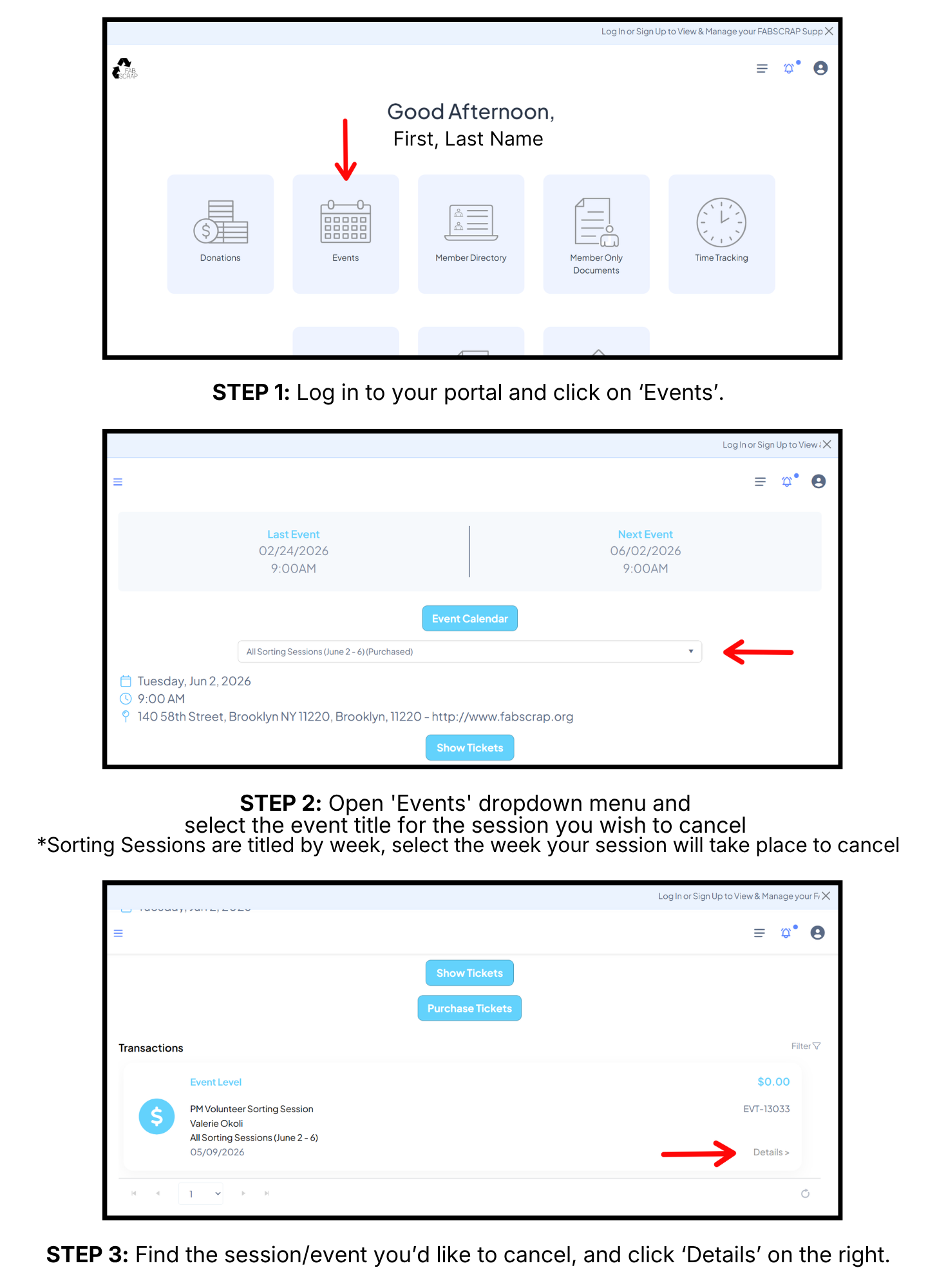
If you are unable to attend a volunteer session or event, we strongly encourage you to cancel through your account portal.
To cancel a volunteer session or event registrations in your Donorview account, follow these Step-by-step instructions to cancel your ticket.



Make your inbox a little more FAB
Stay in the know - receive upcoming event information, our quarterly email newsletter and special announcements.